
Fairplay Login with OTP – Complete Verification Guide

Logging into Fairplay using OTP is one of the most straightforward ways to verify your identity — but it’s also one of the most common sources of frustration when something goes wrong. The OTP doesn’t arrive, it expires before you can use it, or the system just throws a vague error.
This guide covers everything: what the Fairplay Login OTP process actually involves, how to complete it correctly, and how to diagnose and fix every common problem you might run into.
OTP stands for One-Time Password. It’s a temporary, single-use code sent to your registered mobile number whenever you attempt to log in or verify your account. Fairplay uses this method because it adds a layer of security that a standard password alone cannot provide.
You’ll typically need OTP verification when logging in from a new device, after a long period of inactivity, when resetting your account, or when Fairplay’s system flags unusual activity on your account.
Table of Contents
What Is Fairplay OTP Verification?
Fairplay OTP verification is a two-step identity check. After entering your registered mobile number on the login page, the platform sends a time-sensitive numeric code to that number. You enter the code to confirm you’re the real account holder.
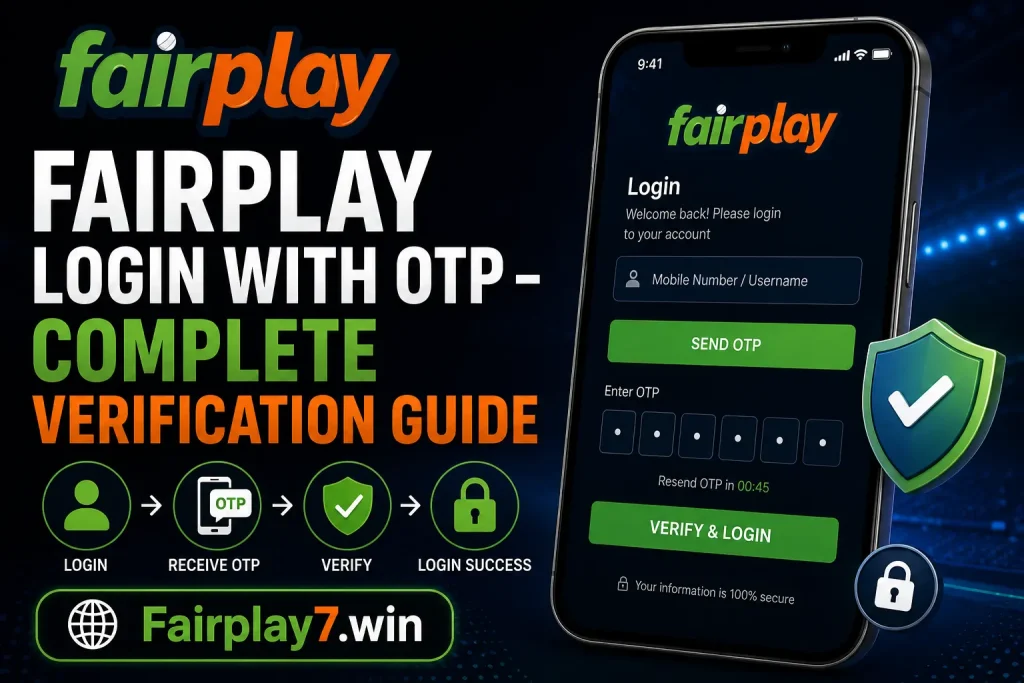
The key points to understand:
- The OTP is unique to each login attempt and cannot be reused
- It expires after a short window (typically 3–5 minutes)
- It’s tied to the mobile number registered on your Fairplay account
- No OTP = no access, which is by design for your account’s protection
This system prevents unauthorised logins even if someone has your password. It also protects your wallet, betting history, and personal data. If you haven’t registered yet, start at Fairplay Register to set up your account with a valid mobile number from the beginning.
How to Complete Fairplay Login with OTP

Follow these steps carefully. Most OTP failures happen because of a small mistake at one of these stages:
- Open your browser and go to the official Fairplay website, or open the Fairplay app if you have it installed.
- On the login screen, select the option to log in with your mobile number.
- Enter your registered 10-digit mobile number accurately. Double-check before proceeding.
- Click or tap “Get OTP” or “Send OTP.” The button label may vary slightly.
- Check your SMS inbox. The OTP should arrive within 30–60 seconds.
- Enter the code in the OTP field. Do not add spaces or extra characters.
- Tap “Verify” or “Login” to complete the process and access your account.
Troubleshooting while logging in: If the OTP doesn’t arrive in 60 seconds, check your network signal and use the “Resend OTP” option. If you’re consistently having trouble, our guide on Fairplay Login Not Working covers deeper fixes.
How to Login to Fairplay on Mobile App Using OTP
The Fairplay App Download is available for Android. If you’re using an iPhone, you’ll use the mobile browser version. The OTP process works the same way — the interface just looks slightly different.
Android App Login
- Open the Fairplay app
- Tap “Login” and select “Mobile Number” login
- Enter your registered number and request the OTP
- Enter the code received via SMS and tap verify
Mobile Browser Login
- Open Chrome or your preferred browser
- Navigate to the Fairplay website
- The login process mirrors the desktop version but is touch-optimised
- Make sure pop-ups and notifications are not blocking SMS delivery
For a full walkthrough tailored to your device, see How to Do Fairplay Login on Mobile App. If you’re new and need setup help, the Fairplay Win App Download Guide has everything you need.
Why Fairplay OTP Is Not Received
This is the most common complaint. The OTP not arriving is almost always caused by one of these issues:
1. Network or Signal Issues
A weak mobile signal is the most frequent culprit. Move to an area with better coverage, or switch between mobile data and Wi-Fi before trying again.
2. DND (Do Not Disturb) Activated
If your number is registered under DND on your telecom provider, transactional SMS messages may be blocked. Contact your carrier to whitelist promotional or transactional SMS.
3. Incorrect Mobile Number
The OTP is only sent to the number registered on your account. If you’ve changed your phone number without updating your Fairplay profile, the OTP is going somewhere else.
4. SMS Delivery Delay
Network congestion (especially during peak hours) can delay SMS delivery by several minutes. Wait up to 3 minutes before requesting a new OTP.
5. Server-Side Congestion
During high-traffic events like major matches, Fairplay’s servers handle enormous volumes. OTP delivery can slow down. Try again after a few minutes or use the resend option.
If none of the above resolves your issue, check out Fairplay Login Issues in India for region-specific troubleshooting tips.
Invalid OTP or Expired OTP Error Fix
You received the OTP, but the system says it’s invalid or expired. Here’s what’s happening and how to fix it:
Why it happens: Fairplay OTPs are typically valid for 3–5 minutes. If you wait too long before entering it, or if you copy-paste incorrectly, the verification will fail.
Common Causes
- You took more than 5 minutes to enter the code
- You copied the OTP with an extra space
- You used an old OTP after requesting a new one (always use the most recent code)
- A browser autofill entered the wrong digits
How to Fix It
- Tap “Resend OTP” to get a fresh code
- Enter it immediately — don’t switch apps or check something else first
- Type the code manually instead of copy-pasting
- Make sure you’re using the latest OTP if you requested it more than once
If the problem persists across multiple attempts, the issue may be account-level. In that case, password-based recovery may be the faster path.
Fairplay Login Verification Problems and Solutions
Here is a quick reference table for the most common issues users face:
| Problem | Possible Cause | Solution |
| OTP not received | Weak network or DND active | Check signal, disable DND, or switch networks |
| Invalid OTP error | Typo or copy-paste error | Type the code manually and submit quickly |
| Expired OTP | Too long before entry | Tap Resend OTP and enter immediately |
| Wrong mobile number | Number changed or mistyped | Verify the number on file; use account recovery |
| Login page not loading | Browser cache or server issue | Clear cache, try another browser or device |
| OTP loop (keeps asking) | Session or cookie conflict | Clear cookies, restart browser, try incognito mode |
| Account locked after attempts | Multiple failed OTP entries | Wait 30 minutes or contact customer support |
| OTP sent to old number | Mobile number not updated | Contact Fairplay support to update the number |
| App crashes during login | Outdated app version | Update the app or use the mobile browser instead |
For an extended list of fixes, see Fairplay Login Problem Solutions.
How to Recover Access If OTP Login Fails
If you cannot complete OTP login even after trying all the above fixes, these are your recovery options:
Option 1: Password-Based Login
If your account has a password set, you can log in using that instead. Go to the login screen, choose “Password Login,” and enter your credentials. Need to reset it? Use the Fairplay Forgot Password guide.
Option 2: Account Recovery
If you no longer have access to the registered mobile number, account recovery is the only option. This requires you to verify your identity through Fairplay’s support team. Visit Fairplay Account Registration to understand what account details you’ll need to provide.
Option 3: Contact Customer Support
Fairplay’s support team can manually verify your identity and restore access. Reach them via the Fairplay Customer Care page. Have your registered details ready before contacting them.
Fairplay OTP Login Security Tips
OTP login is secure by design, but there are things you can do to avoid accidental lockouts and keep your account safe:
- Never share your OTP with anyone — Fairplay will never ask for it
- Complete the OTP entry within 3 minutes of receiving it
- Use trusted devices and browsers you control
- Keep your registered mobile number updated in your account profile
- If you receive an OTP you didn’t request, change your password immediately
- Avoid using public Wi-Fi during login — stick to mobile data or a private network
- Enable any additional account security features Fairplay offers
If you want to explore what Fairplay offers beyond login and account management, the Fairplay Win Casino Games Full Guide and Fairplay UPI Deposit Guide are good starting points once you’re logged in.
Frequently Asked Questions
1. How do I log in to Fairplay using OTP?
Go to the Fairplay login page, enter your registered mobile number, and request an OTP. Enter the code sent to your phone within the validity window to access your account. See our full Fairplay Login Guide for step-by-step instructions.
2. Why am I not receiving my Fairplay OTP?
Common reasons include a weak network signal, DND settings blocking transactional SMS, or an incorrect registered number. Check your signal, disable DND with your carrier, and confirm you’re using the correct mobile number linked to your account.
3. How long is a Fairplay OTP valid?
A Fairplay OTP is typically valid for 3 to 5 minutes after it is sent. If you do not enter the code within that window, it will expire and you will need to request a new one using the Resend OTP option.
4. Can I log in without OTP verification?
Yes, if your account has a password set, you can choose password-based login. However, OTP verification may still be required for certain actions like device verification or password recovery. OTP login is the default recommended method.
5. What should I do if my OTP expires?
Simply tap Resend OTP on the login page to generate a new code. Enter the new OTP immediately after receiving it. Avoid copy-pasting; type it manually to prevent errors. Each resend generates a fresh, unique code.
6. How can I contact Fairplay support for login issues?
You can reach Fairplay’s support team through the Fairplay Customer Care page. Support is available via live chat and email. Have your registered mobile number and account details ready to speed up verification.
Conclusion
Fairplay login with OTP is fast and secure when everything works as it should. The most common issues — OTP not received, expired codes, and invalid entry errors — all have straightforward fixes once you know where to look.
The key things to remember:
- Always use the mobile number registered on your account
- Enter the OTP within 3–5 minutes of receiving it
- Type the code manually rather than copy-pasting
- Use Resend OTP freely if anything goes wrong
- Contact support if your mobile number has changed or your account is locked
If you’re still stuck, the Fairplay Login Guide covers the full login process in detail, and Fairplay Login Issues in India addresses region-specific problems. Once you’re back in, take a look at the Fairplay Withdrawal Process and Fairplay Deposit Methods to make sure the rest of your account is set up and ready.